This is the registration walkthrough. Why the code exists, stacking rules, and missed-code recovery live on the promo code page. KYC expectations: no KYC.
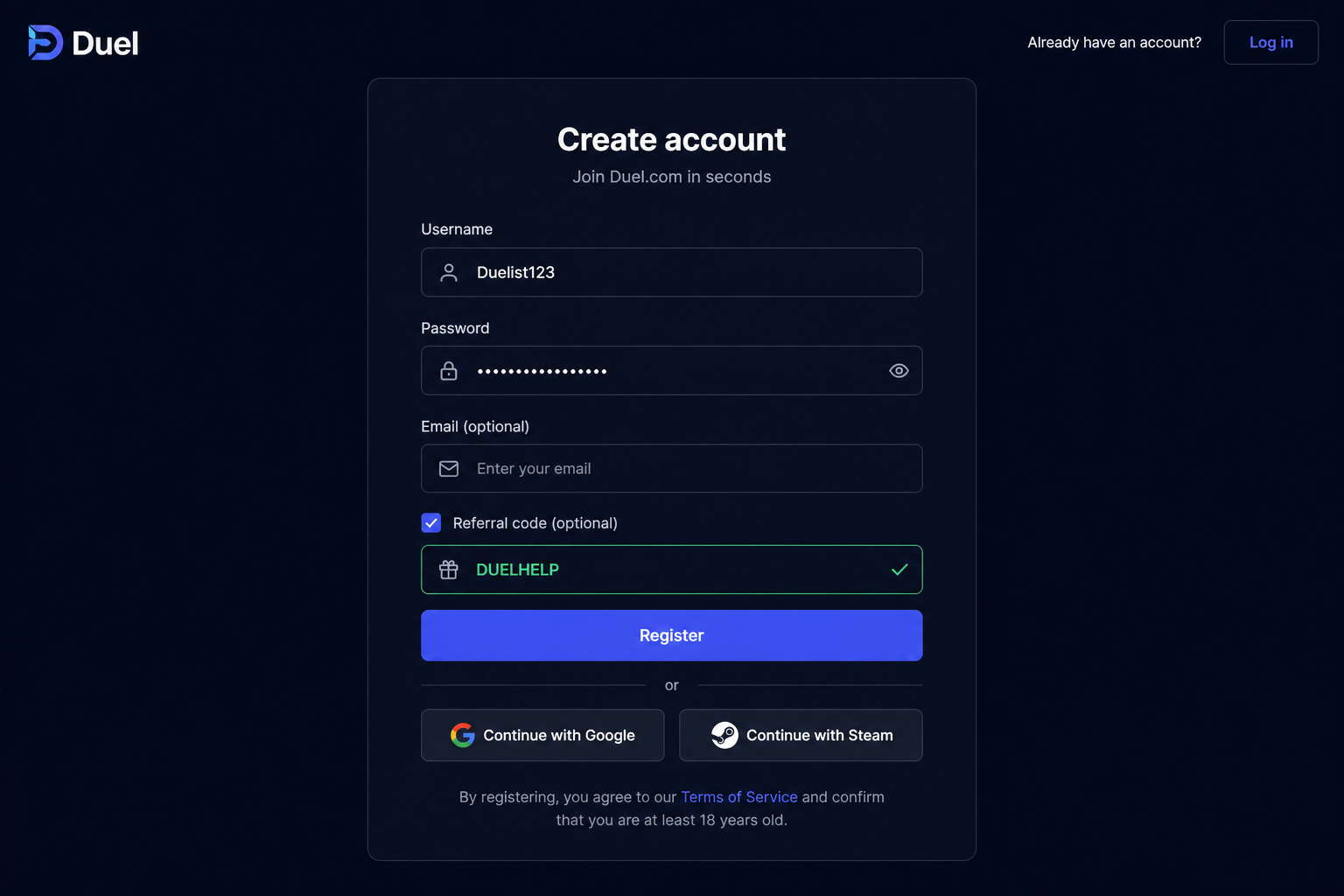
How to register
- Open the partner URL. Visit https://duel.com/r/duelhelp so the DUELHELP track is intact before you type anything.
- Create the account. Register with a fresh email (or the method Duel presents). Use a password manager. 18+ only.
- Enter the referral code. Tick the optional referral / promo field and paste DUELHELP. Confirm it is visible before you submit. It typically cannot be added later.
- Deposit. Send supported crypto to the wallet address, or use Deposit with Cash to buy crypto on-site.
- Play and claim. Open eligible games, then claim rakeback from Rewards when it accrues.
If the referral box is missing
- You opened duel.com without the partner URL — start again from https://duel.com/r/duelhelp.
- The field is collapsed under “Referral code (optional)” — tick it, then paste.
- You already submitted. Support may not backfill. A clean signup is cheaper than a ticket.
After signup
- Set a client seed you control before Originals volume.
- Test a small withdrawal before you need a large one.
- Skim FAQ for geo and support (this site is not Duel support).
Geo and age
18+ only. Restricted jurisdictions apply. If Duel blocks your region, do not VPN against terms — find a legal local operator instead.